Auto Mix
Let Auto Pilot keep the music flowing with transitions chosen for your tracks.
Two decks, smart transitions, and hands-on control for Android phones and tablets.
Coming to Google Play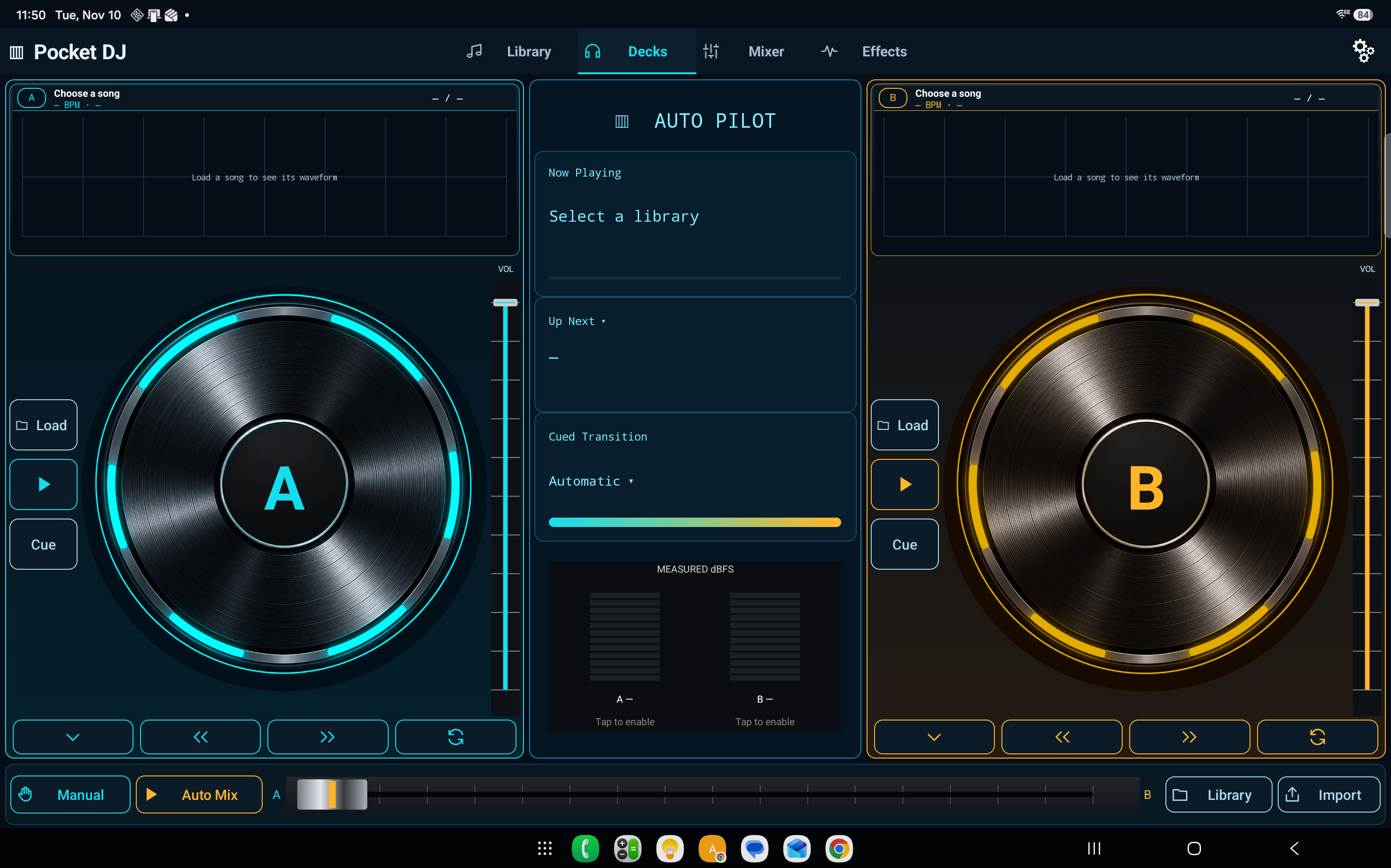
Let Auto Pilot keep the music flowing with transitions chosen for your tracks.
Take control with two decks, cue points, and a crossfader.
See what’s playing and what’s next, with larger controls for your set.
Turn your Android phone or tablet into a two-deck DJ setup. Pick a library and let Auto Mix handle the transitions, or take over in Manual mode with waveforms, cue points, EQ, and a crossfader.
Coming to Google Play
Choose individual audio files, add a folder, or scan your device for playable tracks. Organize your music into separate libraries for different gigs, moods, or genres. Search by song name and filter by BPM or musical key to find what fits.
Pocket DJ analyzes tempo, key, and loudness to help choose what plays next and how the tracks blend. Keep the energy steady, build it up, or wind it down. Edit the Up Next queue, preview a transition, or tap Mix Now when you’re ready to move on.
Load a track on each deck, scrub through the waveform to set a cue point, and blend the decks with the crossfader. Adjust EQ by deck or correct a song’s BPM and key. Pocket DJ remembers your corrections for future mixes.
Save your queue and resume where you left off. See what actually played in Set History and save it as a replayable set. During a gig, switch to Live View for larger controls and a clear view of what’s playing and what’s next.
Use Audio Output Test to see where Android routed the main mix and headphone cue. With a compatible setup, you can send the mix to your speakers while cueing the next track in headphones. You can also run different libraries independently on your Android phone and tablet.
Pocket DJ for Android · Coming to Google Play
Privacy Policy · Support